# Customers

# Overview

This section allows you to view individual players under your accounts.

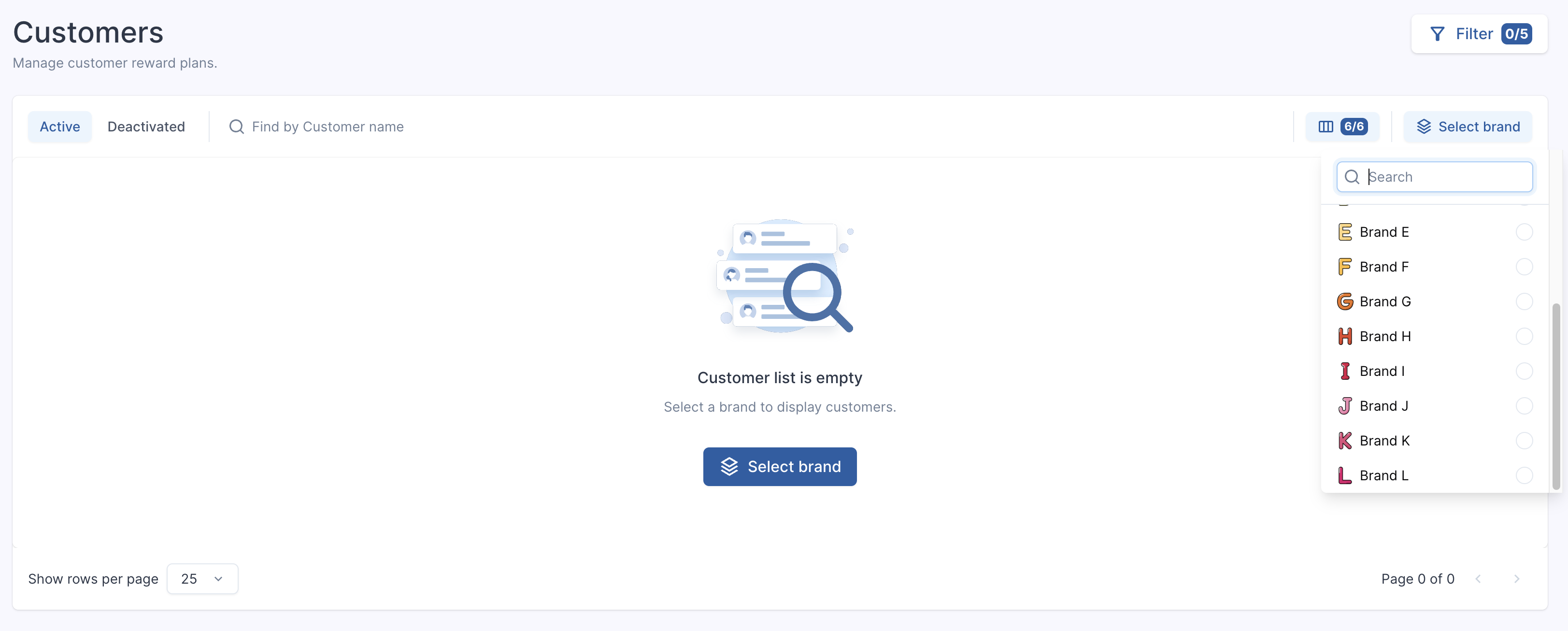
<figure class="table" id="bkmrk-to-display-customers"><table class="ck-table-resized"><colgroup><col></col><col></col></colgroup><tbody><tr><td><figure class="image image_resized">![Refie_watch.png](https://help.referon.com/uploads/images/gallery/2026-09/cd45b0e129e76bc71ff7511b54b0e90bf8d72f1b.png)</figure></td><td><p class="callout success">To display customers a brand needs to be selected. Multiple brands can be selected at the time.</p>

</td></tr></tbody></table>

</figure><figure class="image" id="bkmrk-">![Screenshot%202025-08-13%20at%2016.54.55.png](https://help.referon.com/uploads/images/gallery/2026-09/0f4e0682c20cf5428896dee245d660cadcd0675c.png)</figure>## Output

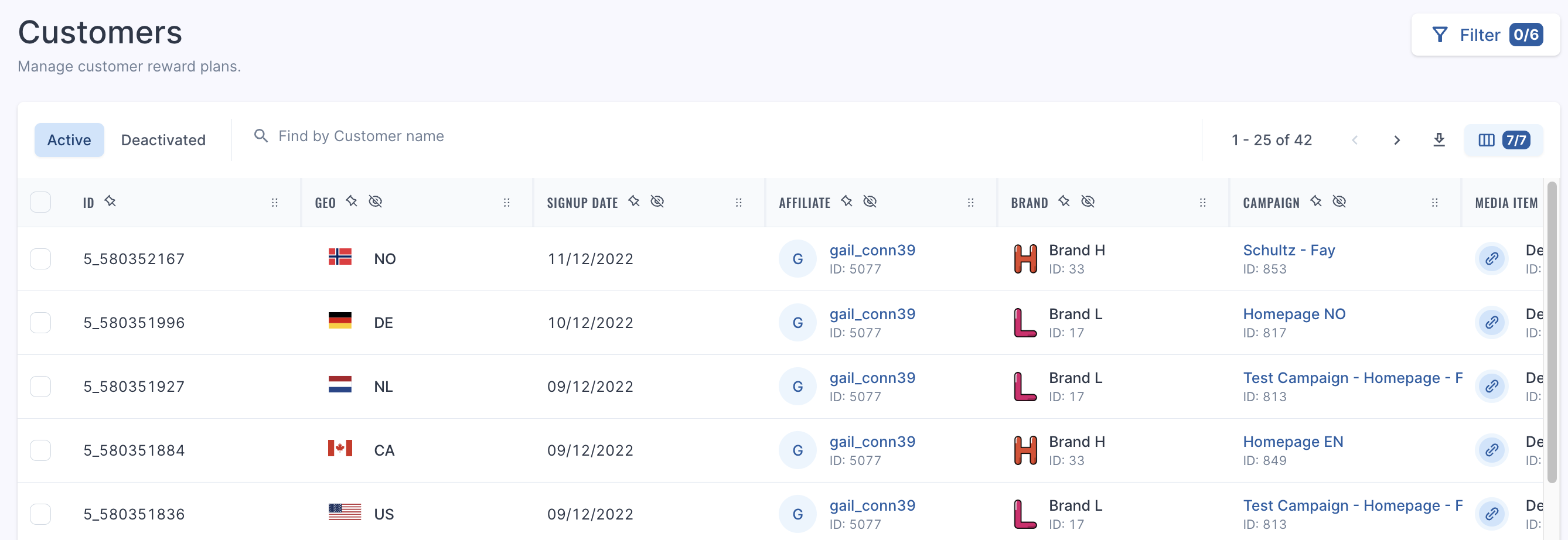
This page shows the following details:

- CustomerID
- Geo
- Signup Date
- Affiliate
- Brand
- Campaign
- Media Item
- Reward Plan

# ![Screenshot%202024-08-19%20at%2015.36.55.png](https://help.referon.com/uploads/images/gallery/2026-09/ec8cc05431994f7cb3639149e970fa24de80c20e.png)
## Filters

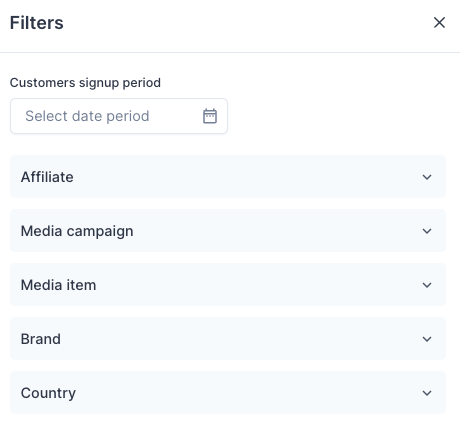
You can filter by the following functions:

- Player signup date
- Affiliate
- Campaign
- Media item
- Brand
- Country
<figure class="image" id="bkmrk--2">![1702391560006-Screenshot%2B2023-12-12%2Bat%2B15.32.37.png](https://help.referon.com/uploads/images/gallery/2026-09/e72225d26d87a778efb1e89db9cddfc71b615162.png)</figure>