# Campaigns

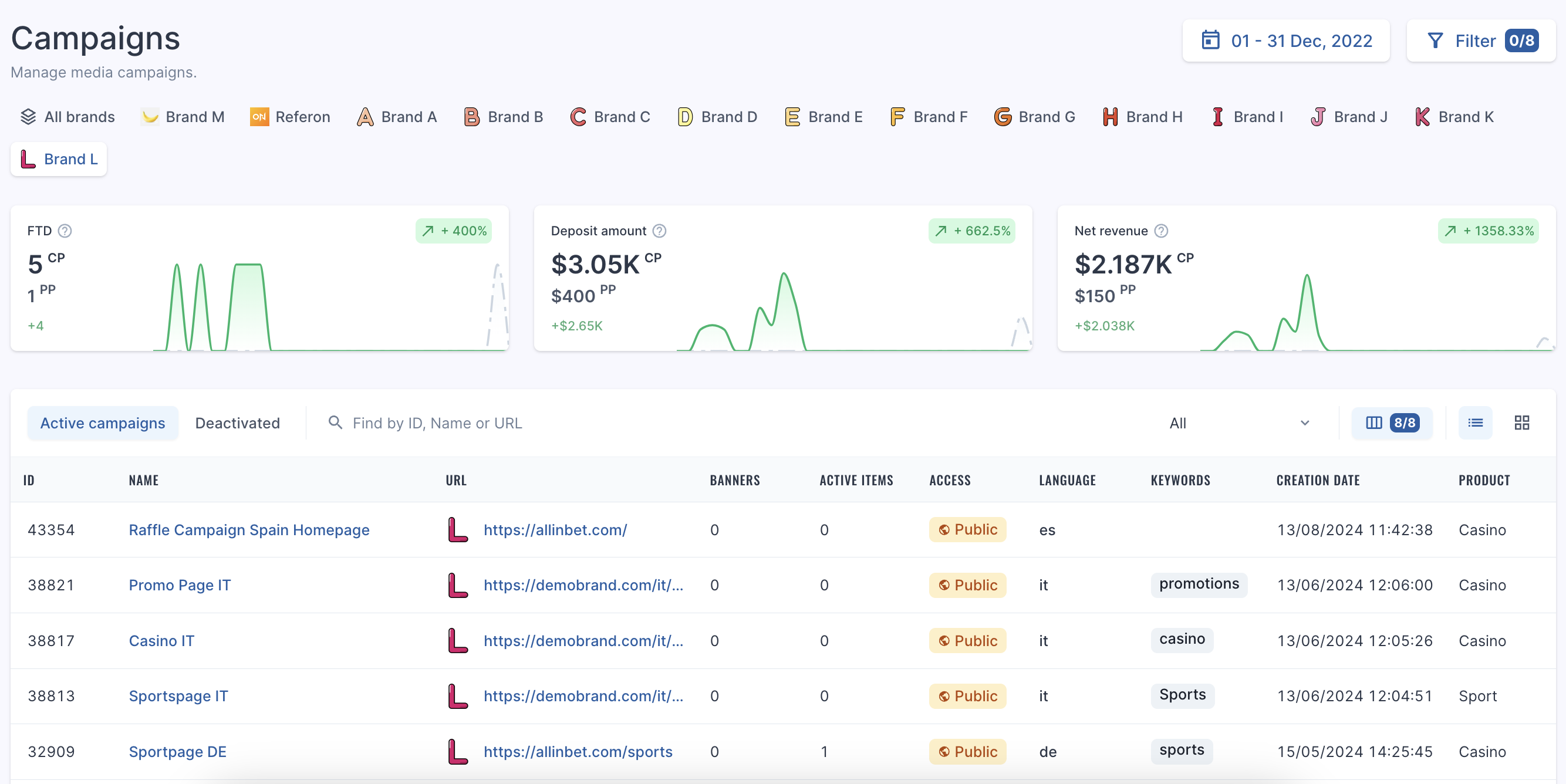
Here is where you can view all the current URLs or 'Campaigns' available in the system.

The following fields are shown:

- Campaign ID
- Campaign Name
- Banner Count
- URL
- Active Items
- Access
- Language
- Keywords
- Creation Date
- Product
<figure class="image" id="bkmrk-">![Screenshot%202024-08-19%20at%2015.30.28.png](https://help.referon.com/uploads/images/gallery/2026-09/0ce0aceca3ede4dc4ac602aa63c45931c8becd06.png)</figure>## Filters

The Filter on this page covers the following:

- Creation Period Date
- Count of media items
- Count of banners
- Product
- Campaign
- URL
- Language
- Access

<figure class="table" id="bkmrk-to-filter-by-brand%2C-"><table class="ck-table-resized"><colgroup><col></col><col></col></colgroup><tbody><tr><td><figure class="image image_resized">![Refie_hat.png](https://help.referon.com/uploads/images/gallery/2026-09/c18e057993675d146d72d8708b6aa649c4d58c41.png)</figure></td><td><p class="callout success">To filter by brand, you can select one or multiple of the brand names at the top of the page.</p>

</td></tr></tbody></table>

</figure>