If you do not see this feature, please contact your affiliate manager to enable it for you. After you will see the screen as below:
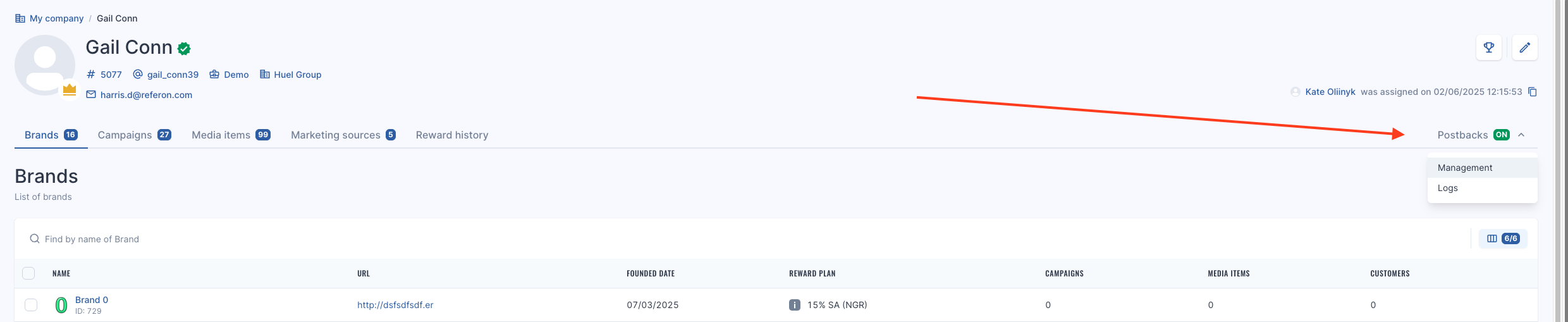There are 2 main tabs:
1. Management
2. Logs
### Management
Here is where you can add your Postbacks.
To add your postback, follow the below steps:
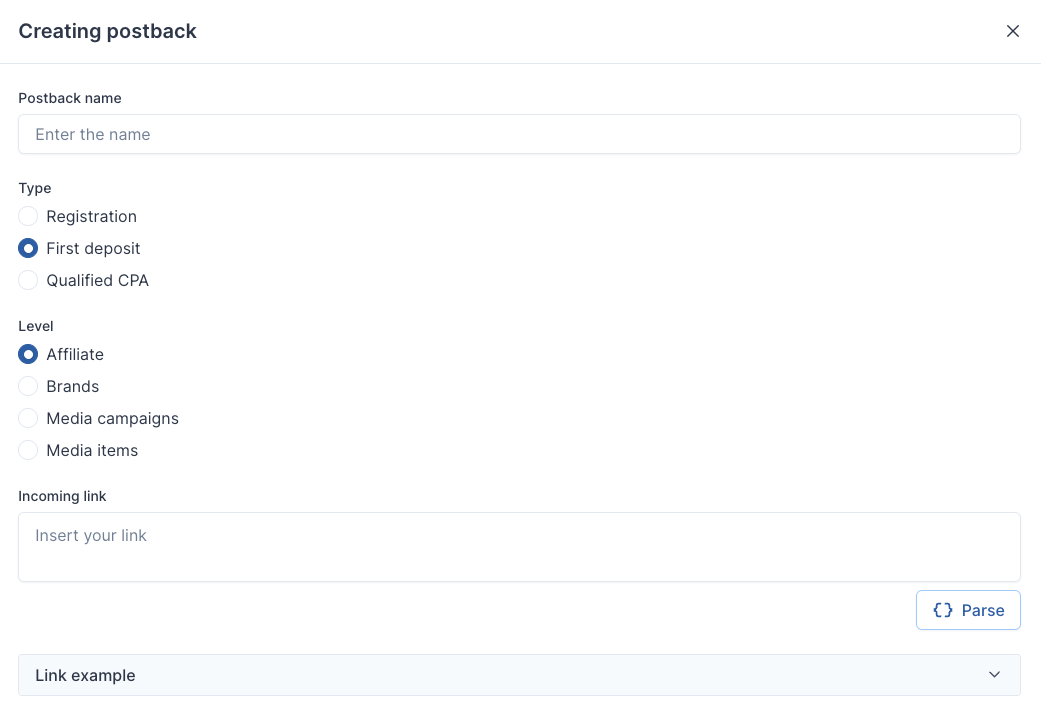
- Click Create Postback
- Add Postback Name
- Select the type
- Registration
- First Deposit
- Qualified CPA
Note: Qualified CPA is based on data frequency as it needs to check the reward plan structure and threshold before sending.
- Select the level
- Affiliate
- Brand
- Media Campaigns
- Media Items
This function allows you set different URLs for different levels in your account. Perhaps you have an identifier, such as Event or Campaign ID for a particular tracker.
- Insert the URL
- Click Parse
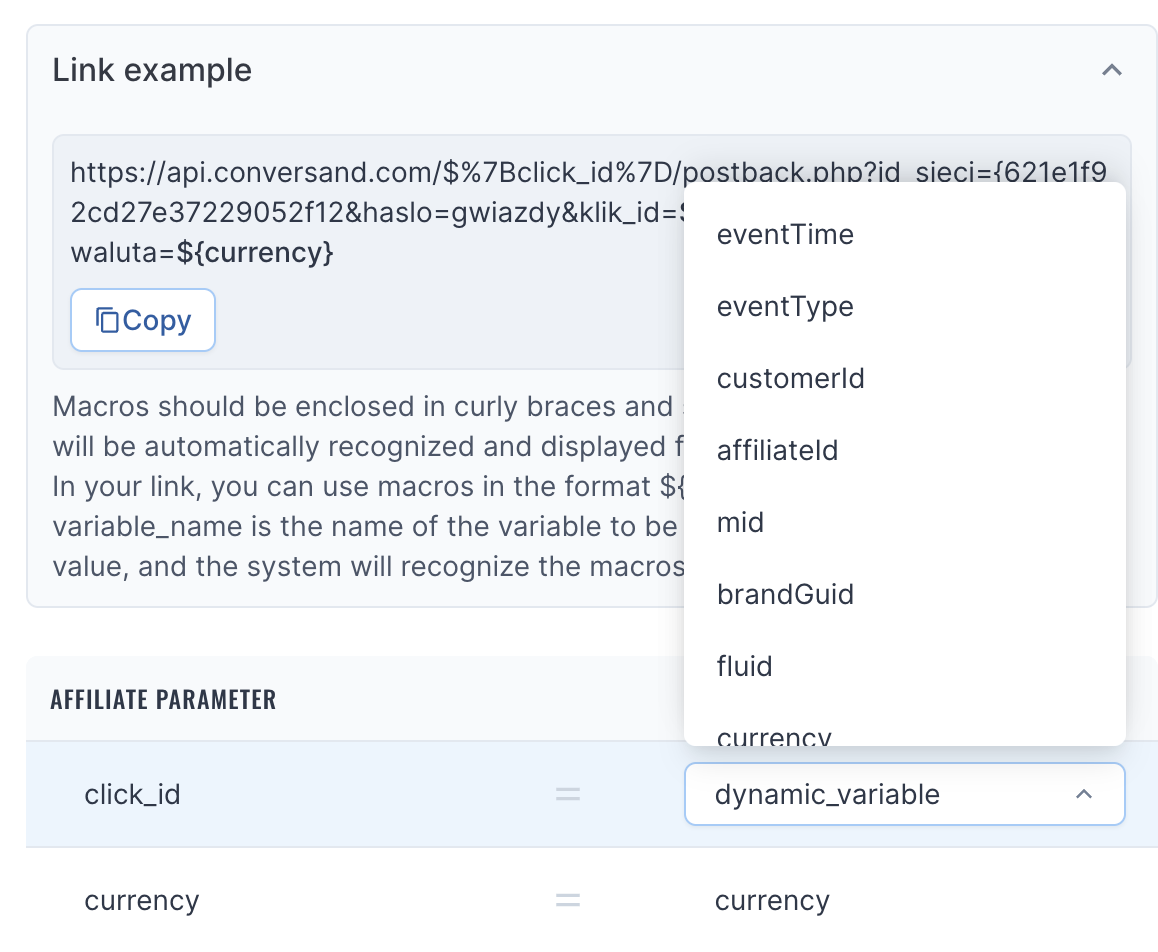
When parsing the URL, you have the option of selecting automatic parameters, such as:
EventTime
EventType
CustomerID
Affiliate ID
MID
BrandGUID
Fluid
Currency
Dynamic Variables
**Note**: Deposit amount and CPA amount need to be requested by your affiliate manager as some platforms have not fully integrated postbacks into Referon and need to be asked.
- Click Save Changes
- Repeat for each Type you need.
### Logs
When an event occurs, these will then show in the Logs as they happen.
- Event time
- Event type
- customerID
- Affiliate ID
- MID
- brand guid
- fluid
- currency
- dynamic variables
- Event time
- Event Type
- Customer ID
- Affiliate ID
- MID
- Brand Guid
- Fluid
- Currency
- Dynamic Variable
Note: Deposit amount and CPA amount can be requested by your affiliate manager. Some platforms have not connected postbacks fully, so we do not show it to affiliates at this stage to avoid any issues