
1.38.0 Release Notes
Release date: 2023-09-12
New Functionality
Affiliate IDs and Names in Filters
Relevant to Master Affiliate Login only.
To help with finding your precise affiliate, the ID and Name is now showing in the filters in all areas that use ‘Affiliate’.
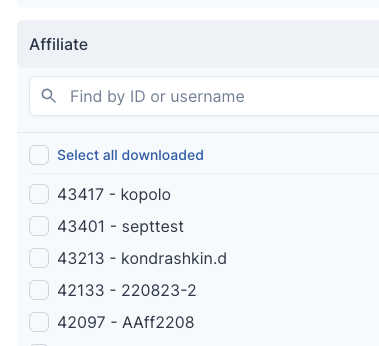
As a reminder you can search multiple items in ANY filter in the system by using comma delimitation, i.e. 123,456,789.
Affiliate Name and Username Swap
Based on feedback, we are now showing affiliate username instead of affiliate name in the following locations:
- Media Items
- Customers
- Dynamic Report
- Payments Report
Update Payment Method Prompt
When a master affiliate has logged in and has not filled in their payment details yet, a prompt will appear at the top of the page asking them to fill in the details.

The user must either press Skip or Complete on the prompt.
When clicking Complete, it will redirect to the Payment Method screen.
If the user presses Skip, the prompt will be hidden until their next log in.
Keyword Searching
It is now possible to search by keyword in Campaigns. Use the tool box to the right and select Keyword from the drop down.


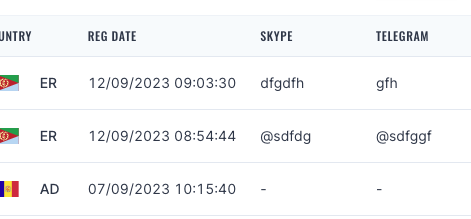
Skype and Telegram Visibility
Relevant to Master Affiliate Login only.
You can now see Skype and Telegram details in bulk via the Affiliates page. Allowing for ease of checks and contact details.
Clear Action for Calendars
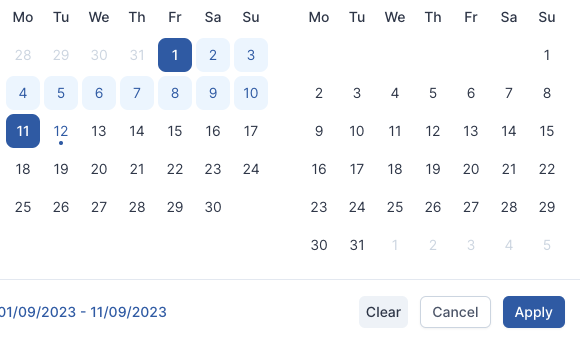
It is now possible to clear a Calendar selection via the ‘Clear’ button in all calendar widgets in the system. This allows for quicker searching and reseting of statistic checking.
Brand Filter Addition
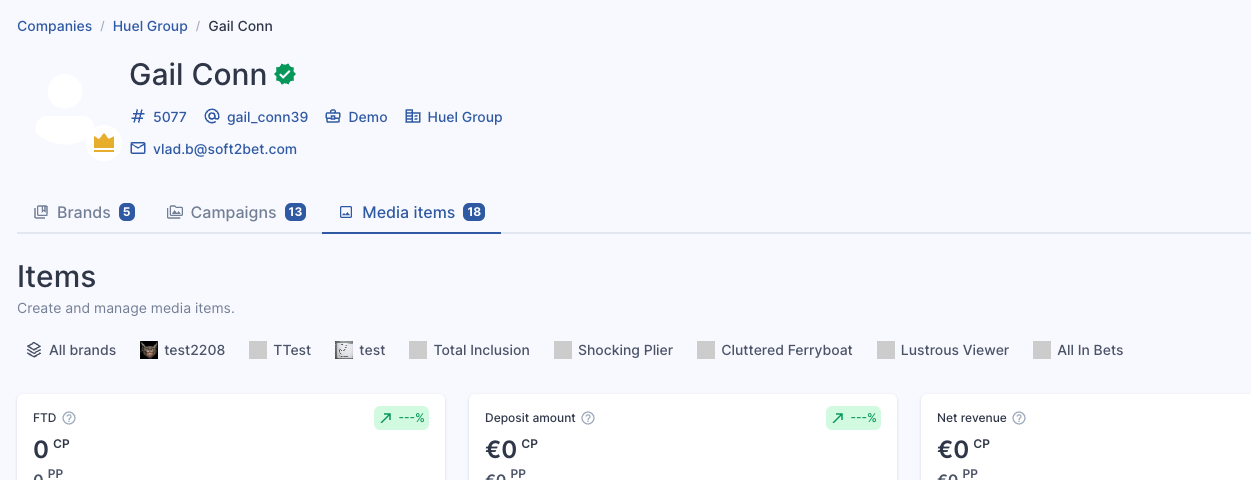
When within a particular affiliate page, a brand toggle filter is now available at this level, which grants an even quicker flow to generate trackers or see brand performance.
This works in the same way as the Brand toggle filter in Media - Campaigns.
Default Columns
Any user may now select particular columns for various pages and this will be saved across the platform until next session, allowing for easier checks of data and statistics without needing to reselect columns as you navigate away and back again.
Fixes
- Based on feedback, the Reward dashboard is now the default dashboard screen for affiliate logins, rather than Revenue.
- Breadcrumbs of navigation for My Company when an affiliate logins now displays correctly.
- Minor design issues have been fixed throughout the platform.
- A number of minor rewarding issues have been resolved.